


Mouse Full Form in Computers:
Introduction
If you use a computer regularly, you have probably used a mouse countless times. Whether you are browsing the internet, playing games, working on documents, or attending online classes, the mouse is one of the most important computer input devices.
Many students often search for the full form of mouse in computer to understand its meaning and purpose. While the term “mouse” is commonly used in computing, many people are surprised to learn that it does not have an officially recognized acronym like CPU or RAM.
In this complete guide, you will learn the mouse’s full form, its history, functions, types, advantages, disadvantages, and importance in modern computing.
Quick Answer
Mouse Full Form
MOUSE = Manually Operated User Selection Equipment
Although this is a popular educational expansion, it is important to know that “mouse” is not officially considered an acronym in computer science. The device was originally named because its shape and cable resembled a real mouse. Read our computer mouse guide.
What Is a Computer Mouse?
A computer mouse is a handheld input device that allows users to control a cursor on a computer screen.
It helps users:
- Open files and folders
- Select text
- Click buttons
- Browse websites
- Play games
- Edit photos and videos
- Navigate software applications
Without a mouse, interacting with graphical user interfaces would be much more difficult.
Why Is It Called a Mouse?
The computer mouse got its name because early models looked similar to a real mouse.
The original device had:
- A small rounded body
- A cable that resembled a tail
Because of this appearance, engineers began calling it a “mouse,” and the name has remained ever since.

History of the Computer Mouse
The computer mouse was invented by Douglas Engelbart during the 1960s.
His goal was to make computers easier to use by allowing people to interact visually with information on a screen.
The first mouse was made from wood and used metal wheels to track movement.
In 1968, Engelbart demonstrated the mouse publicly during a famous technology presentation that introduced several groundbreaking computing concepts.
Over time, mouse technology evolved significantly, leading to the modern devices we use today.
Main Functions of a Computer Mouse
A mouse performs several important functions.
Pointing
The mouse moves the cursor around the screen, allowing users to interact with different items.
Clicking
Users can click icons, buttons, and menus to perform actions.
Selecting
A mouse helps users select text, files, and images quickly.
Drag and Drop
Files and folders can be moved easily using drag-and-drop functionality.
Scrolling
The scroll wheel allows users to move through webpages and documents efficiently.
Parts of a Computer Mouse
Modern computer mice contain several key components.
Left Button
The left button is used for most computer actions, including selecting and opening items.
Right Button
The right button opens context menus with additional options.
Scroll Wheel
The wheel is used to scroll up and down through content.
Optical Sensor
The sensor tracks movement across surfaces and converts it into cursor movement.
Side Buttons
Many gaming and productivity mice include programmable side buttons for shortcuts and custom functions.
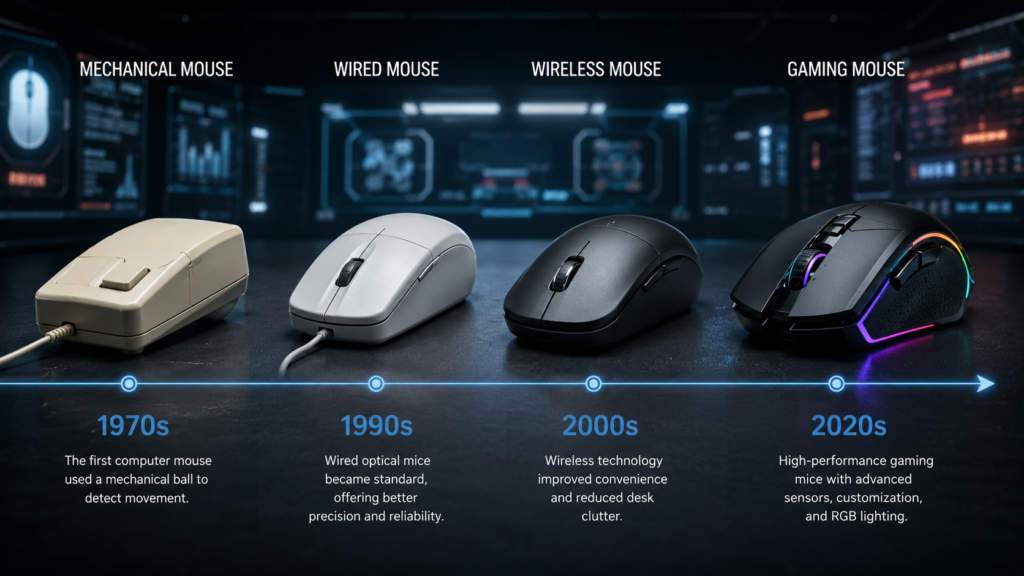
Types of Computer Mouse
There are several types of computer mice available today. performance.
Wired Mouse
A wired mouse connects directly to a computer using a USB cable.
Advantages
- Reliable connection
- No charging required
- Low latency
Best For
- Office work
- Gaming
- Everyday computing
Wireless Mouse
A wireless mouse connects through Bluetooth or a USB receiver.
Advantages
- No cable clutter
- Portable design
- Cleaner workspace
Best For
- Students
- Office workers
- Travelers
Optical Mouse
Optical mice use light sensors to detect movement.
They are currently the most common type of computer mouse.
Laser Mouse
Laser mice use laser technology for improved tracking precision.
They often perform better on a wider variety of surfaces.
Gaming Mouse
Gaming mice include advanced features such as the following:
- Adjustable DPI
- RGB lighting
- Programmable buttons
- High-performance sensors
These mice are designed for competitive gaming and fast response times.
Ergonomic Mouse
Ergonomic mice are designed to reduce wrist strain and improve comfort during long work sessions.
They are popular among:
- Office workers
- Programmers
- Graphic designers
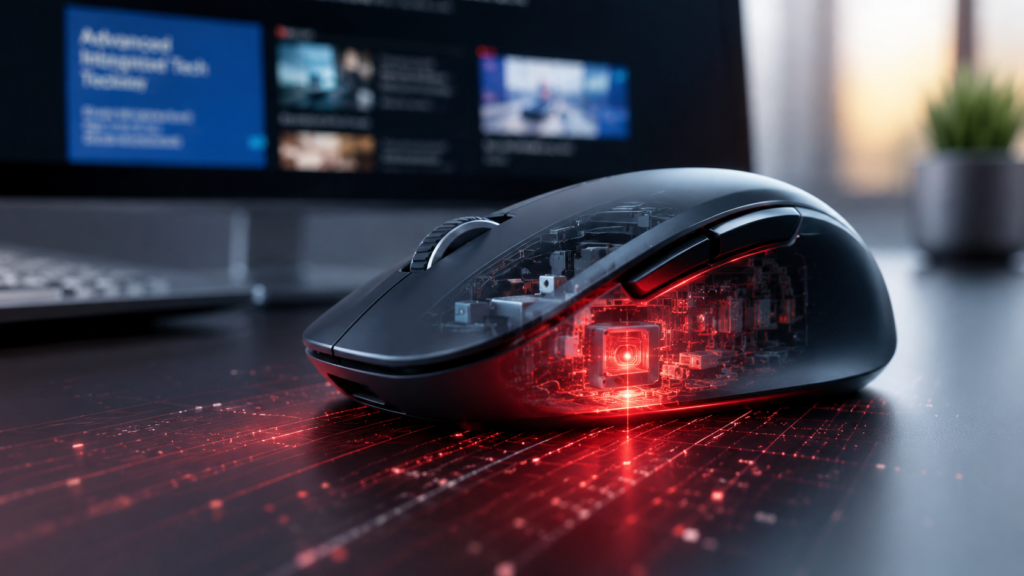
How Does a Computer Mouse Work?
Modern mice use sensors to detect movement.
When you move the mouse across a surface, the sensor captures motion and sends information to the computer.
The computer then moves the cursor accordingly.
Wireless mice send this information through Bluetooth or wireless receivers, while wired mice use USB connections.
Wired Mouse vs Wireless Mouse
| Feature | Wired Mouse | Wireless Mouse |
|---|---|---|
| Connectivity | USB Cable | Bluetooth/Receiver |
| Latency | Very Low | Low |
| Charging Required | No | Yes |
| Portability | Limited | Excellent |
| Gaming Performance | Excellent | Excellent |
Which Is Better?
The best choice depends on your needs.
Choose a wired mouse if you want:
- Maximum reliability
- Competitive gaming performance
- No battery concerns
Choose a wireless mouse if you want:
- Better portability
- A cleaner desk setup
- More flexibility
Advantages of a Computer Mouse
A mouse offers many benefits.
Easy Navigation
Users can move around software and websites quickly.
Improved Productivity
Tasks are completed faster and more efficiently.
Better Gaming Control
Gaming mice provide precise movement and accurate aiming.
User-Friendly Design
Most computer users learn how to use a mouse quickly.
Essential for Graphic Design
Designers rely heavily on mouse precision.
Disadvantages of a Computer Mouse
Although useful, mice also have some limitations.
Requires Desk Space
Unlike touchpads, mice need a surface to operate.
Wireless Models Need Charging
Wireless mice require battery power.
Possible Hand Fatigue
Extended use may cause discomfort if the mouse is not ergonomic.
Hardware Wear
Buttons and scroll wheels may wear out over time.
Importance of a Mouse in Modern Computing
The mouse remains one of the most important computer peripherals.
It improves:
- Productivity
- Navigation
- Gaming performance
- Creative work
- General computer usability
Even with touchscreens becoming more common, mice continue to play a critical role in both professional and personal computing.
Common Mouse Problems
Double-Click Issues
Older mice sometimes register accidental double-clicks.
Cursor Lag
Dirty sensors or outdated drivers can cause lag.
Scroll Wheel Problems
Dust and wear may affect scrolling performance.
Battery Drain
Wireless mice can experience reduced battery life over time.
Tips to Make Your Mouse Last Longer
Clean It Regularly
Remove dust and debris from the sensor and buttons.
Use a Mouse Pad
Mouse pads improve tracking accuracy.
Avoid Dropping It
Physical damage can reduce lifespan.
Store Properly
Keep your mouse away from moisture and extreme temperatures.
Frequently Asked Questions
What is the full form of mouse?
The commonly used educational full form is:
Manually Operated User Selection Equipment
However, this is not an official computer science acronym.
Who invented the computer mouse?
Douglas Engelbart invented the computer mouse in the 1960s.
Why is it called a mouse?
It was named because its shape and cable resembled a real mouse.
What are the main functions of a mouse?
A mouse is used for:
- Pointing
- Clicking
- Selecting
- Scrolling
- Dragging and dropping
Which is better, a wired or wireless mouse?
Both are excellent. Wired mice offer lower latency, while wireless mice provide greater convenience and portability.
Conclusion
Understanding the mouse’s full form and its role in computing is important for every student and computer user.
Although “MOUSE” is commonly expanded as Manually Operated User Selection Equipment, the device was originally named because of its physical resemblance to a real mouse.
Today, computer mice are available in many forms, including wired, wireless, gaming, and ergonomic models. They remain essential tools for productivity, education, entertainment, and professional work.
Whether you are a student learning computer basics or an experienced user looking to understand modern mouse technology, knowing how a mouse works can help you use computers more efficiently.
see about computer mouse
