
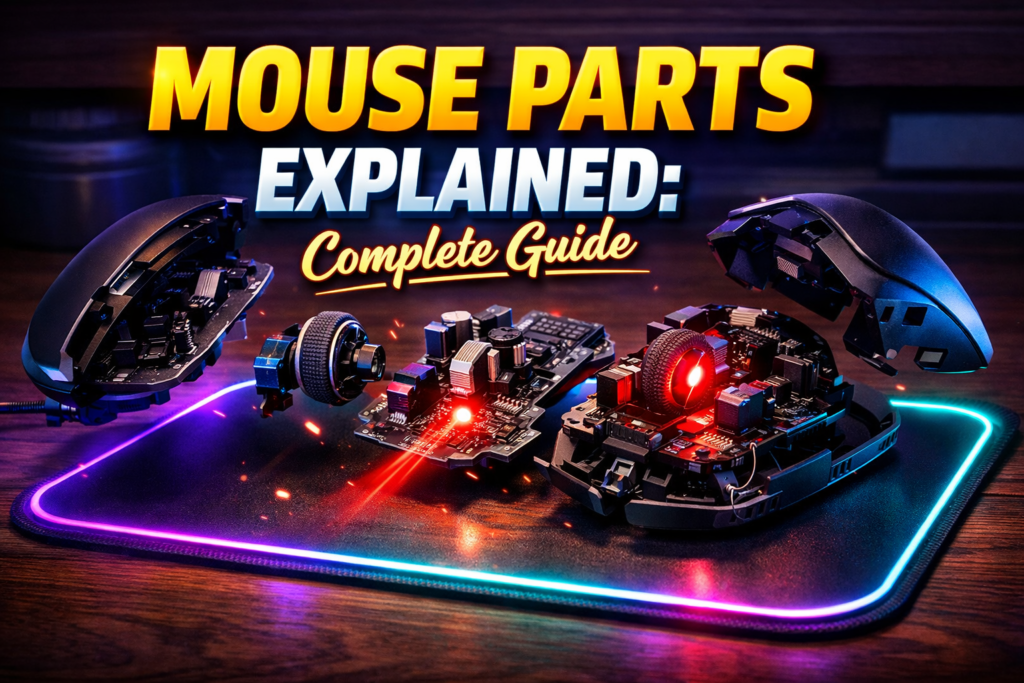

Mouse Parts Explained: Introduction
A mouse parts is a consists of multiple specialised components that detect motion, process signals, and execute commands, where each part performs a defined role, creating precise cursor control and efficient interaction between user and system.
The computer mouse is one of the most essential input devices used worldwide. Despite its simple appearance, a mouse is a complex system of interconnected parts designed for precision and speed. Each component—from the buttons to the sensor—works together to ensure smooth cursor movement and accurate input execution.
Understanding mouse parts is vital for:
- Office efficiency: Selecting the right mouse can reduce strain and increase productivity.
- Gaming performance: High-DPI sensors and rapid response buttons enhance gameplay.
- Creative tasks: Designers rely on precision and ergonomics to achieve accurate work.
A modern mouse is not just a peripheral—it is a systematic hardware solution that converts human motion into actionable digital commands.
Core System Architecture of a Mouse
A computer mouse functions as a layered system where physical input is converted into digital output through a combination of detection, processing, and communication. Each layer has a clearly defined role that ensures smooth and precise operation.
System Layers
| Layer | Components | Function |
|---|---|---|
| Input Layer | Left & Right Buttons, Scroll Wheel | Captures user commands |
| Processing Layer | Circuit Board, DPI Controller | Converts signals into digital commands |
| Output Layer | Sensor, Connectivity Module | Executes action on the computer |
The Input Layer captures physical actions. When the user clicks a button or scrolls the wheel, electrical signals are generated. The Processing Layer, managed by the circuit board, interprets these signals and formats them into commands the computer can execute. Finally, the Output Layer transmits the processed data to the computer via wired or wireless communication.
This layered architecture ensures each hand movement is accurately transformed into digital commands, creating a precise and responsive user experience.
Mouse Parts Explained
Mouse Parts Explained
Main Mouse Components Explained
3.1 Left Button – Primary Input Controller
The left button executes primary commands, such as selecting files, opening applications, and dragging objects. Each press generates an electrical signal interpreted by the circuit board and transmitted to the computer.
- Function: Executes selection, activation, and drag-and-drop actions.
- System Role: Serves as the main point of interaction between user and computer.
- Semantic Triple: Left Button → generates → signal → Command executed
This button is often reinforced with a mechanical switch to ensure durability and consistent performance over millions of clicks.
3.2 Right Button – Secondary Command Interface
The right button triggers contextual menus and secondary commands that enhance productivity. It allows users to access shortcuts and alternative actions without navigating additional menus.
- Function: Opens context menus, activates shortcuts, supports advanced commands.
- System Role: Provides efficiency in workflow by expanding available options.
- Semantic Triple: Right Button → activates → secondary command → Enhanced workflow
In modern mice, the right button is mechanically and electronically identical to the left but mapped for secondary interactions.
Mouse Parts Explained
3.3 Scroll Wheel – Navigation Engine
The scroll wheel facilitates vertical navigation through content and performs middle-click functions. It moves along an axis, generating signals for upward or downward scrolling.
- Function: Scrolls documents and web pages, middle-click opens links, horizontal scrolling in some models.
- System Role: Enhances navigation efficiency, allowing users to interact without moving the cursor manually.
- Semantic Triple: Scroll Wheel → rotates → Signal → Cursor scroll
High-end mice include tactile feedback and programmable scrolling functions for advanced use.
Mouse Parts Explained
3.4 Optical / Laser Sensor – Motion Detection Engine
The sensor detects movement across a surface and converts it into directional digital signals. Optical sensors use light to track patterns, while laser sensors detect finer surface details for precision tracking.
- Function: Tracks cursor movement, speed, and direction.
- System Role: Provides the main input for translating physical motion into digital commands.
- Semantic Triple: Sensor → detects → motion → Cursor moves
High-performance gaming mice use sensors that capture thousands of images per second, ensuring precise motion even during rapid movements.
Mouse Parts Explained
3.5 Internal Circuit Board – Processing Unit
The circuit board interprets signals from the buttons, scroll wheel, and sensor, converting them into commands for the computer. It also manages DPI adjustments and polling rates.
- Function: Processes inputs, calculates motion vectors, manages DPI changes.
- System Role: Acts as the brain of the mouse, coordinating all internal components.
- Semantic Triple: Circuit Board → processes → input → Output command
Circuit boards vary in complexity, with gaming and ergonomic mice often having extra chips for additional features.
Mouse Parts Explained
3.6 Mouse Feet – Glide Mechanism
Mouse feet reduce friction and stabilize movement across surfaces, enabling smooth and consistent cursor motion.
- Function: Provides frictionless sliding, maintains accuracy, protects mouse bottom.
- System Role: Physical support system that ensures smooth operation.
- Semantic Triple: Mouse Feet → reduces → friction → Smooth movement
High-quality feet are made from Teflon or similar materials to improve glide and durability.
3.7 Connectivity System – Communication Channel
The connectivity module transmits signals between the mouse and the computer. Wired mice use USB, while wireless mice employ Bluetooth or RF technology.
- Function: Transmits data in real-time, reduces latency.
- System Role: Ensures reliable communication for accurate input.
- Semantic Triple: Connectivity → transmits → signals → Computer receives command
Latency is critical for gaming and professional tasks, with high-quality wireless mice minimizing delay.
Mouse Parts Explained
Mouse Parts Explained
3.8 DPI Button – Sensitivity Regulator
The DPI button allows users to adjust cursor sensitivity, increasing speed or precision as needed.
- Function: Switches between high and low DPI settings.
- System Role: Customizes performance for gaming, design, or office work.
- Semantic Triple: DPI Button → changes → sensitivity → Cursor speed
Gamers often use multiple DPI profiles for different tasks within a single session.
Mouse Parts Explained
3.9 Additional Internal Mechanisms
Modern mice contain click switches, LEDs or laser illumination for sensors, and weight tuning mechanisms.
- Function: Click switches translate physical clicks into electrical signals. LEDs assist sensors. Weight mechanisms improve balance.
- System Role: Enhances precision, comfort, and responsiveness.
- Semantic Triple: Internal Mechanisms → enhance → performance → User experience
Mouse Parts Explained
Advanced Technical Deep Dive
4.1 Sensor Technology and Accuracy
High-end sensors track movement at thousands of frames per second. Optical sensors rely on surface texture, while laser sensors detect finer details. Advanced algorithms convert these patterns into precise motion vectors.
4.2 DPI and Sensitivity Scaling
Dots per inch (DPI) define how far the cursor moves relative to hand movement. Low DPI increases precision, while high DPI enables rapid movement across large screens.
4.3 Polling Rate and Response Time
The polling rate is how frequently the mouse reports position to the computer. Higher polling rates (500–1000 Hz) reduce latency, essential for gaming and professional use.
4.4 Motion Vectors and Cursor Precision
The sensor captures motion frames, calculates directional vectors, and translates them into pixel movement. Accurate motion vectors ensure precise cursor control.
Mouse Parts Explained
Types of Computer Mice
5.1 Standard / Office Mouse
Balanced DPI, 2–3 buttons, suitable for general use.
5.2 Gaming Mouse
High DPI (up to 16,000), multiple programmable buttons, low-latency.
5.3 Ergonomic Mouse
Designed to reduce wrist strain, improve long-term comfort.
5.4 Wireless Mouse
Portable, no cable restriction; may slightly increase latency.
| Type | DPI Range | Buttons | Use Case |
|---|---|---|---|
| Standard | 800–1600 | 2–3 | Office tasks |
| Gaming | 1600–16000 | 6–12 | Gaming |
| Ergonomic | 800–1600 | 2–5 | Health/Comfort |
| Wireless | 800–3200 | 2–6 | Portability |
Performance Factors and Troubleshooting
Cursor lag may result from low polling rates, poor connectivity, or surface issues. Inaccurate movement often originates from sensor misalignment or worn mouse feet. Button failure occurs due to mechanical wear. Regular maintenance, cleaning the sensor, and replacing worn components can restore performance.
Mouse Parts Explained
Mouse Parts Explained
Choosing the Right Mouse
Consider ergonomics, DPI, sensitivity, wired vs wireless, and intended use. Gamers prioritize DPI and polling rate, while office users prioritize comfort. Designers focus on accuracy and smooth movement.
Internal Linking & Further Resources
- Keyboard Parts Explained
- Input Devices Guide
- How Computers Work
- Beginner Computer Skills
External links
FAQ Section
- What are the main parts of a mouse? Buttons, scroll wheel, sensor, circuit board, DPI, and connectivity.
- How does a mouse work? Sensor detects motion, circuit board processes signals, connectivity transmits data to computer.
- What is DPI? Cursor sensitivity measurement.
- Why is my mouse lagging? Low polling rate, wireless latency, poor surface.
- Which mouse is best for gaming? High-DPI, low-latency, programmable button mice.
Conclusion
A computer mouse is a complex, engineered system, composed of buttons, a scroll wheel, a sensor, a circuit board, DPI controller, and physical support elements. Each component works together to deliver smooth, precise input. Understanding mouse parts helps users choose the right device and maintain performance for productivity, gaming, and design tasks.
Mouse Parts Explained