
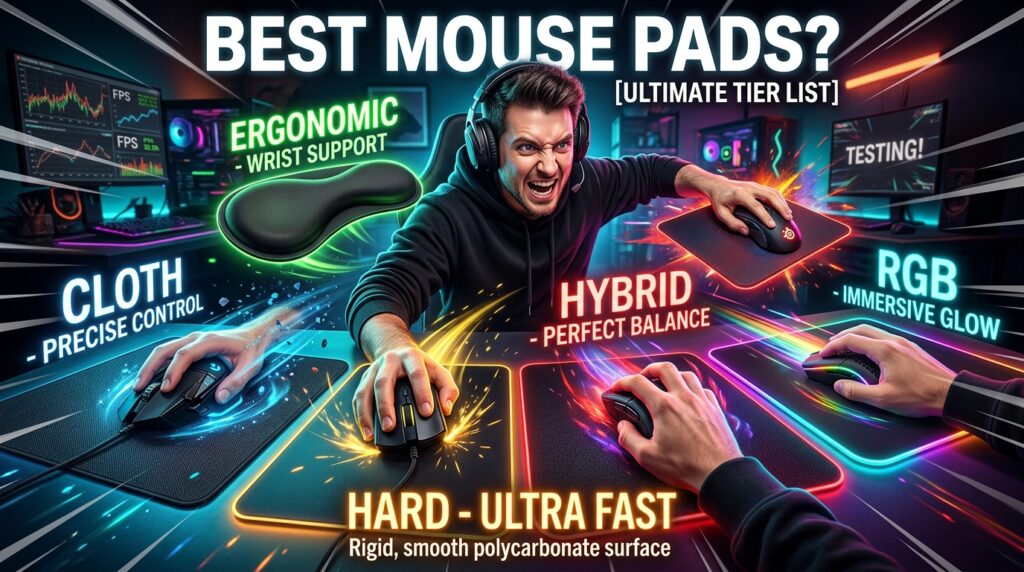

Mouse Pad: Complete Guide Introduction
A mouse pad improves cursor accuracy through surface optimization. The surface structure stabilizes sensor tracking, reduces unwanted movement, and creates consistent glide for precise control.see our computer mouse guide.
Mouse Pad Improves Cursor Accuracy Through Surface Optimization
Mouse pad surface optimization creates stable sensor tracking and consistent cursor movement. The structured surface engages the mouse sensor and eliminates irregular signals from rough desks.
Surface uniformity reduces micro-interruptions in tracking. The flat, engineered layer produces predictable motion, which increases accuracy during fast and slow movements.
Material consistency enhances precision output. The sensor reads uniform data across the surface, resulting in smoother cursor response.
What Is a Mouse Pad and How It Works
A mouse pad functions as a dedicated surface that enhances sensor tracking and movement precision. The pad structure interacts directly with the mouse sensor to produce accurate cursor behaviour. see more
Mouse Pad Creates a Controlled Surface for Sensor Tracking
A mouse pad creates a controlled surface for sensor tracking. The even layer eliminates surface inconsistencies that disrupt signal reading.
Surface stability improves data capture. The mouse sensor processes cleaner input, which results in precise cursor positioning.
Flat construction reduces tracking errors. The consistent plane ensures uninterrupted sensor communication.
Surface Texture Defines Friction and Glide Performance
Surface texture defines friction and glide performance. The micro-pattern on the pad regulates movement resistance.
High-friction surfaces create controlled movement. The increased resistance supports precise cursor adjustments.
Low-friction surfaces generate faster glide. The reduced resistance enables rapid cursor movement across the screen.
Material Composition Influences Tracking Consistency
Material composition influences tracking consistency. The base material determines how accurately the sensor reads movement.
Cloth material creates soft resistance. The flexible fibers stabilize motion and improve control.
Hard surfaces generate sharp tracking signals. The rigid layer reflects sensor input with high precision.
Types of Mouse Pad Define Performance and Use Case
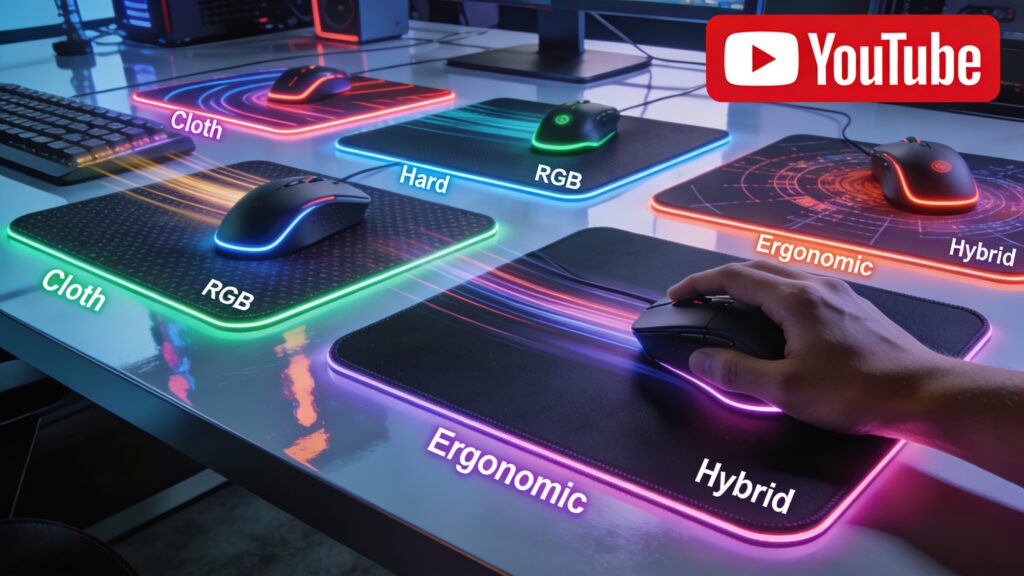
Mouse pad types define performance and use case by altering surface behavior and interaction with the sensor. Each type produces a specific balance between speed and control. Learn more in our types of computer mouse guide.
Cloth Mouse Pad Provides Control and Smooth Tracking
Cloth mouse pads provide control and smooth tracking. The fabric surface creates balanced friction for steady movement.
Soft Surface Increases Friction for Precision Movement
Soft surface increases friction for precision movement. The cushioned layer slows motion and improves accuracy.
Fabric Texture Enhances Low-DPI Performance
Fabric texture enhances low-DPI performance. The fine weave supports detailed cursor adjustments at slower speeds.
Cloth Pads Support Office and Design Work
Cloth pads support office and design work. The controlled surface enables accurate pointer placement for tasks requiring precision.
Hard Mouse Pad Delivers Speed and Low Friction
Hard mouse pad delivers speed and low friction. The rigid surface creates minimal resistance and enables rapid cursor movement.
Plastic Surface Reduces Resistance for Fast Movement
Plastic surface reduces resistance for fast movement. The smooth layer allows the mouse to glide بسرعة without interruption.
Smooth Finish Enables High-DPI Tracking
Smooth finish enables high-DPI tracking. The refined surface structure produces sharp sensor response and precise cursor output.Read our mouse DPI guide
Hard Pads Improve Fast-Paced Gaming Performance
Hard pads improve fast-paced gaming performance. The low-friction surface supports quick flick movements and rapid directional changes.
Gaming Mouse Pad Optimizes Precision and Responsiveness
Gaming mouse pad optimizes precision and responsiveness. The specialized surface structure enhances sensor accuracy and movement control.
Control Pads Enhance Accuracy for FPS Games
Control pads enhance accuracy for FPS games. The high-friction surface stabilizes aim and improves targeting precision.
Speed Pads Increase Cursor Glide for Fast Gameplay
Speed pads increase cursor glide for fast gameplay. The low-resistance surface enables quick reactions and smooth transitions.
Hybrid Pads Balance Speed and Control
Hybrid pads balance speed and control. The mixed surface texture combines glide efficiency with movement stability.
Extended Mouse Pad Expands Desk Coverage
Extended mouse pad expands desk coverage. The large surface area supports both mouse and keyboard placement.
Large Surface Supports Wide Mouse Movement
Large surface supports wide mouse movement. The extended space allows broader hand motion without ограничения.
Desk Coverage Improves Stability and Aesthetics
Desk coverage improves stability and aesthetics. The unified surface creates a clean setup and prevents movement shifts.
Extended Pads Support Gaming Setups
Extended pads support gaming setups. The wide design accommodates high-movement gameplay and multi-device positioning.
RGB Mouse Pad Adds Visual Feedback and Style
RGB mouse pad adds visual feedback and style. The integrated lighting system enhances both functionality and visual appeal.
LED Lighting Enhances Setup Appearance
LED lighting enhances setup appearance. The illuminated edges create a modern and immersive desk environment.
RGB Zones Indicate Modes and Profiles
RGB zones indicate modes and profiles. The lighting segments display system states and user configurations.
Visual Features Complement Gaming Environments
Visual features complement gaming environments. The dynamic lighting aligns with high-performance setups and aesthetics.
Ergonomic Mouse Pad Supports Wrist Alignment
Ergonomic mouse pad supports wrist alignment. The structured design maintains natural hand positioning during use.
Wrist Rest Reduces Pressure and Fatigue
Wrist rest reduces pressure and fatigue. The elevated support distributes weight evenly across the wrist.
Gel Cushion Improves Comfort During Long Use
Gel cushion improves comfort during long use. The soft material adapts to wrist shape and stabilizes hand posture.
Ergonomic Design Prevents Repetitive Strain
Ergonomic design prevents repetitive strain. The aligned positioning reduces stress on joints and tendons.
Mouse Pad Sizes Define Movement Range and Control
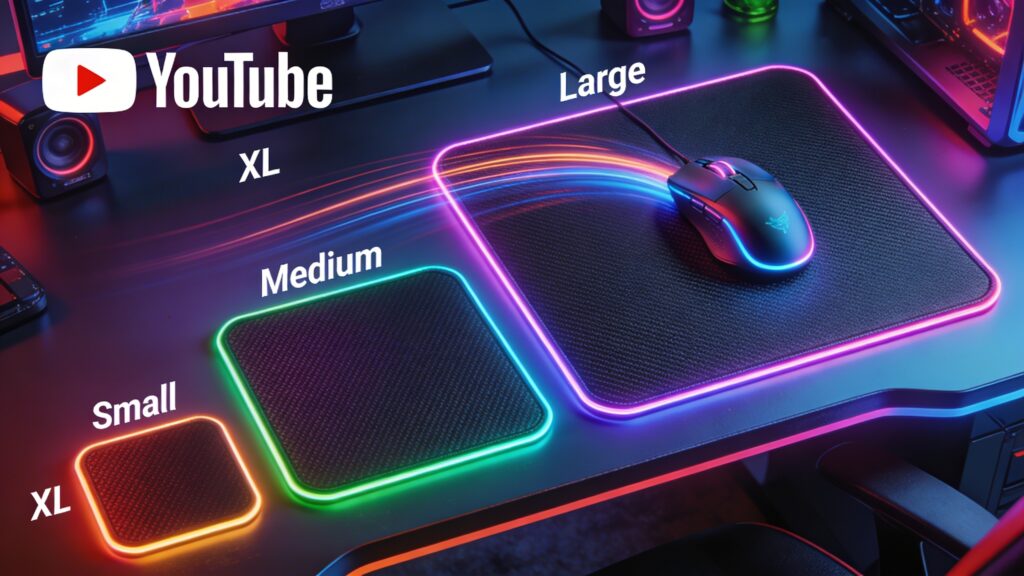
Mouse pad sizes define movement range and control. The surface area determines how freely the mouse can move.
Small Mouse Pads Support Limited Desk Space
Small mouse pads support limited desk space. The compact design fits tight setups and restricts movement range.
Medium Mouse Pads Balance Space and Control
Medium mouse pads balance space and control. The moderate size supports both precision and flexibility.
Large Mouse Pads Enable Wide Movement
Large mouse pads enable wide movement. The expanded surface allows broader hand motion and smoother tracking.
Extended / XL Mouse Pads Cover Full Desk Setup
Extended mouse pads cover full desk setup. The full-length design supports keyboard and mouse alignment.
Mouse Pad Materials Influence Performance and Durability
Mouse pad materials influence performance and durability. The material structure defines tracking behavior and lifespan.
Cloth Material Creates Balanced Control
Cloth material creates balanced control. The fabric surface delivers steady friction and smooth movement.
Rubber Base Prevents Slipping
Rubber base prevents slipping. The textured underside grips the desk and stabilizes the pad.
Plastic Surface Enhances Speed
Plastic surface enhances speed. The hard layer reduces friction and increases glide efficiency.
Metal and Glass Provide Ultra-Smooth Glide
Metal and glass provide ultra-smooth glide. The rigid surfaces generate minimal resistance and high-speed tracking.
Mouse Pad for Different Uses Defines Best Choice
Mouse pad for different uses defines best choice. The intended activity determines the required balance between speed, control, and comfort.
Gaming Mouse Pad Supports Competitive Performance
Gaming mouse pad supports competitive performance. The optimized surface structure enhances responsiveness and accuracy during gameplay.
FPS Gaming Requires Precision Control
FPS gaming requires precision control. The high-friction surface stabilizes aim and improves targeting accuracy.
High DPI Gaming Requires Smooth Glide
High DPI gaming requires smooth glide. The low-resistance surface enables fast cursor movement and quick reactions.
Office Mouse Pad Improves Productivity and Comfort
Office mouse pad improves productivity and comfort. The stable surface supports accurate cursor placement and reduces hand fatigue.
Design Mouse Pad Enhances Precision Work
Design mouse pad enhances precision work. The controlled surface enables detailed cursor adjustments for creative tasks.
Travel Mouse Pad Supports Portability
Travel mouse pad supports portability. The lightweight and flexible design allows easy carrying and quick setup.

Mouse Pad vs Desk Surface Shows Performance Difference
Mouse pad vs desk surface shows performance difference. The surface quality directly impacts tracking accuracy and consistency.
Surface Consistency Improves Accuracy
Surface consistency improves accuracy. The uniform texture delivers stable sensor input and precise cursor movement.
Desk Friction Reduces Tracking Performance
Desk friction reduces tracking performance. The uneven surface disrupts sensor signals and creates inconsistent movement.
Mouse Pad Protects Desk and Mouse
Mouse pad protects desk and mouse. The barrier layer prevents scratches and reduces wear on both surfaces.
Advantages of Using a Mouse Pad Improve Overall Performance
Advantages of using a mouse pad improve overall performance. The optimized surface enhances tracking, comfort, and durability.
Consistent tracking increases cursor precision. The structured surface delivers stable sensor input.
Improved glide enhances movement efficiency. The balanced friction supports both speed and control.
Surface protection extends device lifespan. The pad reduces damage to the mouse feet and desk surface.
Common Mouse Pad Problems Affect Tracking and Comfort
Common mouse pad problems affect tracking and comfort. Surface issues and design flaws reduce performance and user experience.
Mouse Pad Slipping Reduces Stability
Mouse pad slipping reduces stability. The unstable base shifts during movement and disrupts cursor control.
Worn Surface Decreases Accuracy
Worn surface decreases accuracy. The degraded texture produces inconsistent sensor readings and uneven glide.
Dirt and Dust Disrupt Sensor Tracking
Dirt and dust disrupt sensor tracking. The particles interfere with surface detection and create erratic cursor movement.
Wrist Discomfort Results From Poor Design
Wrist discomfort results from poor design. The lack of proper support creates strain during extended use.
How to Choose the Best Mouse Pad Based on Needs
Choosing the best mouse pad depends on performance requirements and usage conditions. Each factor defines the ideal surface type and structure.
Mouse Sensor Type Determines Compatibility
Mouse sensor type determines compatibility. Optical and laser sensors respond differently to surface textures.
DPI Level Influences Surface Choice
DPI level influences surface choice. High DPI requires smoother surfaces, while low DPI benefits from controlled friction.
Desk Space Defines Size Selection
Desk space defines size selection. Available area determines whether small, large, or extended pads fit properly.
Budget Determines Material Quality
Budget determines material quality. Higher-quality materials deliver better durability and consistent performance.
How to Clean and Maintain a Mouse Pad Properly
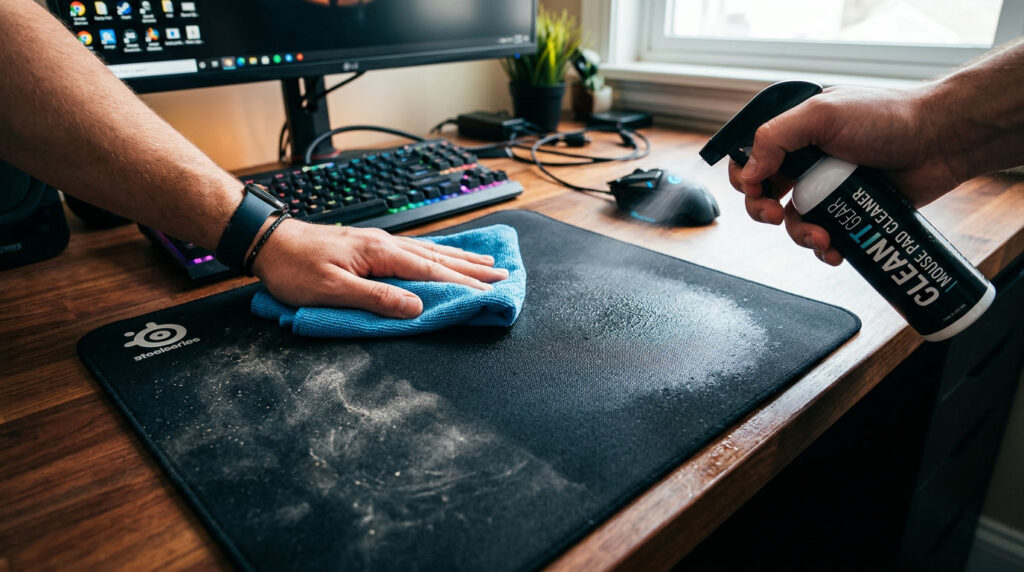
Proper cleaning and maintenance restore performance and extend lifespan. Regular care preserves surface quality and tracking accuracy.
Cleaning Cloth Mouse Pads Restores Performance
Cleaning cloth mouse pads restores performance. Removing dirt from fabric improves friction consistency and glide.
Cleaning Hard Mouse Pads Maintains Smooth Surface
Cleaning hard mouse pads maintains smooth surface. Wiping the rigid layer preserves low friction and accurate tracking.
Regular Maintenance Extends Lifespan
Regular maintenance extends lifespan. Consistent care prevents wear and maintains surface performance.
FAQs About Mouse Pad
Do You Need a Mouse Pad for Modern Mice
Modern mice still require a mouse pad for optimal performance. The controlled surface ensures accurate tracking and consistent movement.
Does a Mouse Pad Improve Accuracy
A mouse pad improves accuracy through surface optimization. The uniform texture delivers stable sensor input.
Are Gaming Mouse Pads Worth It
Gaming mouse pads provide measurable performance benefits. The specialized surface enhances precision and responsiveness.See our gaming mouse guide.
How Long Does a Mouse Pad Last
Mouse pad lifespan depends on material and usage. High-quality pads maintain performance for extended periods.
Can a Mouse Pad Affect DPI or Sensitivity
Mouse pad affects DPI performance indirectly. The surface texture influences how accurately the sensor reads movement.
Mouse Pad Remains Essential for Precision and Comfort
Mouse pad remains essential for precision and comfort. The optimized surface enhances tracking accuracy, improves movement control, and supports long-term usability.