


Mouse DPI Explained: What Is Mouse DPI?
Mouse DPI explained defines the direct relationship between physical hand movement and on-screen cursor displacement.
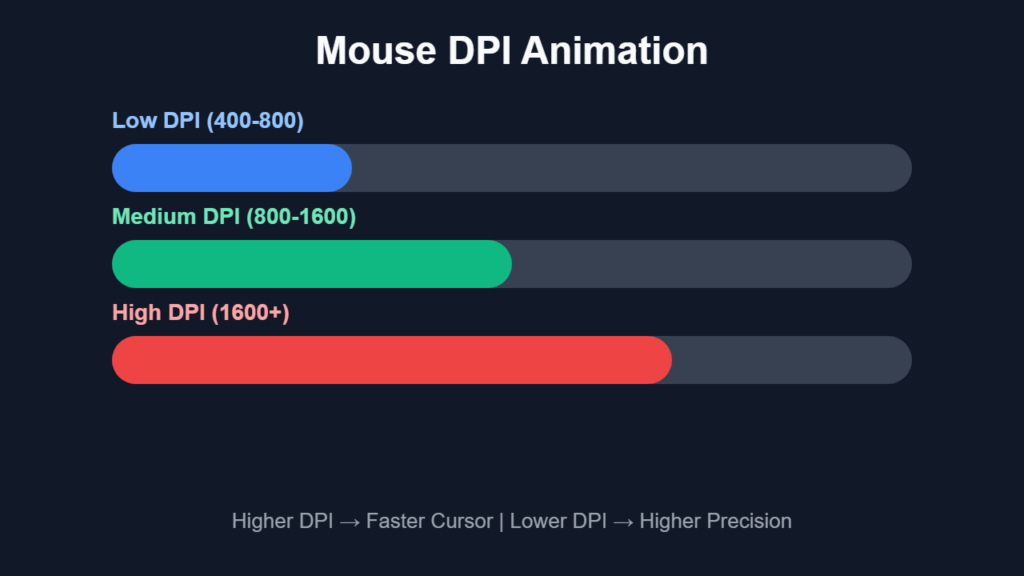
DPI (Dots Per Inch) measures how many positional data points a mouse sensor registers per inch of movement. Higher DPI increases cursor travel speed, while lower DPI compresses movement to create tighter control.
This mechanism establishes the foundation of precision, responsiveness, and user interaction across all computing environments.
Mouse DPI Explained: The Physics Behind Cursor Movement
Mouse DPI explained originates from motion tracking physics.
A mouse sensor captures microscopic changes in surface texture and converts them into digital movement vectors. These vectors represent displacement across X and Y axes, which are transmitted to the computer as cursor movement.
Higher DPI increases sampling frequency, which results in faster cursor displacement. Lower DPI reduces sampling frequency, which results in smoother and more controlled motion.
This system transforms physical motion into digital precision.
Mouse DPI Explained: Sensor Technology and Tracking Systems
Mouse DPI explained depends on sensor architecture.
Modern mice use two primary sensor types:
Optical Sensors
Optical sensors use LED light to capture surface images.
These sensors analyze thousands of images per second and compare them to detect motion. Optical sensors deliver stable and consistent tracking across most surfaces.
Laser Sensors
Laser sensors use infrared lasers for deeper surface tracking.
These sensors detect finer surface details, which increases sensitivity. However, this can introduce tracking inconsistencies on certain materials.
Sensor quality directly influences DPI accuracy, jitter control, and motion consistency.
Mouse DPI Explained: Signal Processing and Data Translation
Mouse DPI explained relies on internal signal processing.
The mouse microcontroller processes sensor data and converts it into cursor movement instructions. This process includes:
- Filtering noise
- Adjusting sensitivity scaling
- Maintaining tracking consistency
Higher DPI increases data throughput, which requires more processing power. Efficient signal processing ensures smooth cursor movement without jitter.
Mouse DPI Explained: High DPI vs Low DPI (Deep Analysis)
Mouse DPI explained highlights two dominant sensitivity paradigms.
| DPI Range | Speed Level | Control Level | Best Use Case |
|---|---|---|---|
| 400 DPI | Low Speed | Very High Control | FPS Competitive Gaming |
| 800 DPI | Medium Speed | High Control | Pro Gaming & Precision Tasks |
| 1200 DPI | Balanced | Medium Control | Daily Use & Casual Gaming |
| 1600 DPI | Fast | Lower Control | Office Work & Multitasking |
| 3200+ DPI | Very Fast | Low Control | Large Screens & Multi-Monitor |
High DPI (1600–3200+)
High DPI prioritizes speed and efficiency.
Minimal hand movement produces large cursor displacement. This configuration benefits large monitors and multi-screen setups.
However, high DPI amplifies small hand movements, which reduces precision and increases error rates.
Low DPI
Low DPI prioritizes stability and precision.
Larger hand movement produces controlled cursor displacement. This configuration improves accuracy and consistency, especially in competitive gaming.
Low DPI reduces jitter and enhances micro-adjustments.
Mouse DPI Explained: The Concept of Control Scaling
Mouse DPI explained introduces control scaling.
Control scaling defines how movement sensitivity interacts with user input. Lower DPI expands physical motion, which increases control resolution. Higher DPI compresses motion, which reduces control resolution.
This concept explains why precision tasks rely on lower DPI values.
Mouse DPI Explained: DPI and Human Motor Control
Mouse DPI explained integrates human biomechanics.
Hand movement precision increases with larger motion ranges. Low DPI extends movement distance, which improves muscle memory and targeting accuracy.
High DPI reduces movement range, which limits control granularity.
This interaction between human physiology and sensor input determines real-world performance.
Mouse DPI Explained: DPI vs Sensitivity (Critical Difference)
Mouse DPI explained distinguishes hardware from software.
DPI represents raw hardware sensitivity. Software sensitivity modifies how that input is scaled.
DPI defines input resolution. Sensitivity defines output behavior.
Understanding this separation enables precise tuning of cursor movement.
Mouse DPI Explained: e Dpi and Standardised Sensitivity
| Feature | DPI | Sensitivity |
|---|---|---|
| Type | Hardware Setting | Software Setting |
| Function | Controls raw movement | Adjusts movement scaling |
| Stability | More consistent | Can vary between apps |
| Example | 800 DPI | In-game sensitivity 1.5 |
Mouse DPI explained introduces effective DPI (eDPI).
eDPI = DPI × in-game sensitivity
This formula creates a universal measurement of sensitivity. It allows users to maintain consistent performance across different games and setups.
Professional gamers rely on eDPI for precision calibration.
Mouse DPI Explained: The Role of Polling Rate
Mouse DPI explained includes polling rate interaction.
Polling rate defines how often the mouse reports data to the computer.
Higher polling rates (1000Hz) reduce input lag and improve responsiveness. Lower polling rates increase latency.
DPI and polling rate together determine overall input performance.
Mouse DPI Explained: Real-World Gaming Performance
Mouse DPI explained evaluates gaming scenarios.
| Game Type | Recommended DPI | Reason |
|---|---|---|
| FPS Games | 400 – 800 DPI | Stable aim and precise targeting |
| MOBA Games | 800 – 1600 DPI | Faster map movement |
| RTS Games | 800 – 1600 DPI | Quick unit control |
| Casual Games | 1200 – 2400 DPI | Balanced speed and comfort |
FPS Games
Low DPI (400–800) creates stable aiming and consistent tracking.
MOBA Games
Moderate DPI (800–1600) enables fast navigation and ability targeting.
Casual Gaming
Higher DPI (1200–2400) balances speed and comfort.
Mouse DPI Explained: Screen Resolution and DPI Relationship
Mouse DPI explained connects display resolution with sensitivity.
Higher resolution displays require higher DPI for efficient navigation. Lower resolution displays function effectively with lower DPI.
Matching DPI with screen resolution improves usability.
Mouse DPI Explained: Surface Interaction and Tracking Accuracy
Mouse DPI explained depends on surface quality.
Mouse pads influence friction and sensor tracking.
Smooth surfaces enable fast movement. Textured surfaces improve control.
Surface consistency enhances tracking accuracy.
Mouse DPI Explained: Wireless vs Wired DPI Performance
Mouse DPI explained compares connection types.
Wired mice deliver stable and consistent performance. Wireless mice rely on signal transmission and power efficiency.
Modern wireless technology achieves near-identical performance through advanced protocols.
Mouse DPI Explained: Common Myths Debunked
Mouse DPI explained eliminates misconceptions.
- Higher DPI does not equal better accuracy
- Extreme DPI values provide no practical benefit
- Professional players prefer low DPI
Understanding these myths improves decision-making.
Mouse DPI Explained: How to Find Your Ideal DPI
Mouse DPI explained provides a structured method.
Start at 800 DPI. Adjust based on comfort and control.
Increase DPI for faster movement. Decrease DPI for better precision.
Consistency builds muscle memory and improves performance.
Mouse DPI Explained: Internal Guides
Continue learning with:
- Mouse Sensitivity vs DPI Explained
- Best Gaming Mouse Settings
- Optical vs Laser Sensors
- How to Improve Aim
These guides expand your expertise.

Mouse DPI Explained: FAQ Section
What DPI is best for FPS games?
400–800 DPI creates stable aiming performance.
Is 1600 DPI too high?
1600 DPI works for general use but reduces fine control in precision tasks.
Does DPI affect aim?
DPI directly affects sensitivity, which determines aiming accuracy.
What is the best DPI overall?
800–1600 DPI provides balanced performance.
Should I use high DPI for gaming?
High DPI reduces control and is not ideal for competitive play.
Mouse DPI Explained: Final Thoughts
Mouse DPI explained reveals that sensitivity defines the balance between speed and precision.
Optimal performance results from controlled DPI settings aligned with user needs. Mastering DPI leads to improved accuracy, better control, and enhanced computing efficiency.