

Gaming Mouse guide :Introduction
A gaming mouse enhances precision and speed through advanced sensors, high DPI control, and fast response rates. The optimised design improves tracking accuracy, reduces input lag, and delivers better performance for competitive and casual gaming.
The modern gaming mouse market is defined by performance specialization, where each mouse is designed for a specific playstyle, grip, and game type. Selecting the right gaming mouse requires balancing precision, speed, comfort, and features.see our computer mouse guide.
This guide breaks down everything you need to know—types, sizes, grip styles, sensors, features, and real use cases—so you can choose the best gaming mouse based on your exact needs.
What Is a Gaming Mouse and How It Works?
A gaming mouse is a specialized input device designed to enhance tracking accuracy, responsiveness, and control. The hardware system processes movement, clicks, and commands with high precision.
Gaming Mouse Uses Advanced Sensors for Accurate Tracking
Gaming mouse uses advanced sensors for accurate tracking. Optical and laser sensors capture surface movement with high precision.
Sensor resolution increases tracking detail. The system reads micro-movements and translates them into accurate cursor motion.
Surface detection improves consistency. The sensor adapts to different textures and maintains stable performance.
High DPI System Controls Cursor Sensitivity
High DPI system controls cursor sensitivity. The DPI setting defines how far the cursor moves relative to hand movement.
Higher DPI increases cursor speed. Small hand movements create large cursor shifts on screen.
Lower DPI improves control precision. Larger hand movement produces finer cursor adjustments.
Polling Rate Determines Response Speed
Polling rate determines response speed. The mouse communicates with the computer multiple times per second.
Higher polling rate reduces input delay. The system receives updates faster, improving responsiveness.
Consistent signal transmission enhances performance. The steady data flow ensures smooth gameplay.
Types of Gaming Mouse Define Performance Style
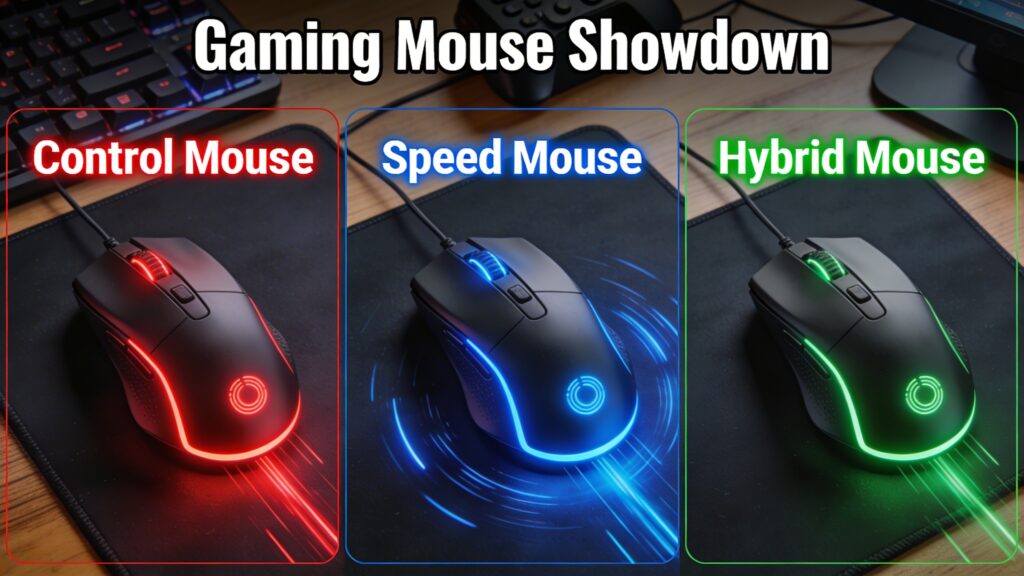
Gaming mouse types define performance style by adjusting speed, control, and responsiveness based on gameplay needs.Read our types of computer mouse guide.
Control Gaming Mouse Focuses on Precision Movement
Control gaming mouse focuses on precision movement. The design prioritizes stability and accurate aiming.
High Friction Surface Improves Aim Stability
High friction surface improves aim stability. The increased resistance slows movement and enhances control.
Low DPI Setup Enhances Accuracy
Low DPI setup enhances accuracy. The reduced sensitivity allows precise targeting and fine adjustments.
Control Mice Support FPS Games
Control mice support FPS games. The stable tracking system improves aiming performance in shooting games.
Speed Gaming Mouse Enhances Fast Movement
Speed gaming mouse enhances fast movement. The design reduces resistance and maximizes glide.
Low Friction Surface Increases Glide Speed
Low friction surface increases glide speed. The smooth base allows rapid cursor movement across the surface.
High DPI Enables Rapid Cursor Movement
High DPI enables rapid cursor movement. Small movements translate into fast on-screen actions.
Speed Mice Support Fast-Paced Games
Speed mice support fast-paced games. The quick response system improves reaction time in dynamic gameplay.
Hybrid Gaming Mouse Balances Speed and Control
Hybrid gaming mouse balances speed and control. The design combines smooth glide with stable tracking.
Balanced Surface Supports Multi-Genre Gaming
Balanced surface supports multi-genre gaming. The moderate friction adapts to different playstyles.
Medium DPI Range Creates Versatility
Medium DPI range creates versatility. The adjustable sensitivity supports both speed and precision.
Hybrid Design Adapts to Different Playstyles
Hybrid design adapts to different playstyles. The flexible performance suits various game types and user preferences.
Gaming Mouse Sizes Define Movement Range and Comfort
Gaming mouse sizes define movement range and comfort. The physical dimensions directly influence how the hand controls movement and maintains stability.
Small Gaming Mouse Supports Fast Wrist Movement
Small gaming mouse supports fast wrist movement. The compact shape enables quick flicks and rapid directional changes.
Lightweight structure increases agility. The reduced mass allows faster reaction during gameplay.
Medium Gaming Mouse Balances Control and Comfort
Medium gaming mouse balances control and comfort. The moderate size supports both wrist and arm movement.
Ergonomic fit improves stability. The shape adapts to most hand sizes and grip styles.
Large Gaming Mouse Supports Full Hand Grip
Large gaming mouse supports full hand grip. The extended body accommodates palm placement and steady control.
Wider surface enhances stability. The hand rests fully, reducing unwanted micro-movements.
Lightweight Gaming Mouse Improves Reaction Speed
Lightweight gaming mouse improves reaction speed. The reduced weight minimizes resistance during movement.
Faster motion increases responsiveness. The mouse reacts instantly to hand input.
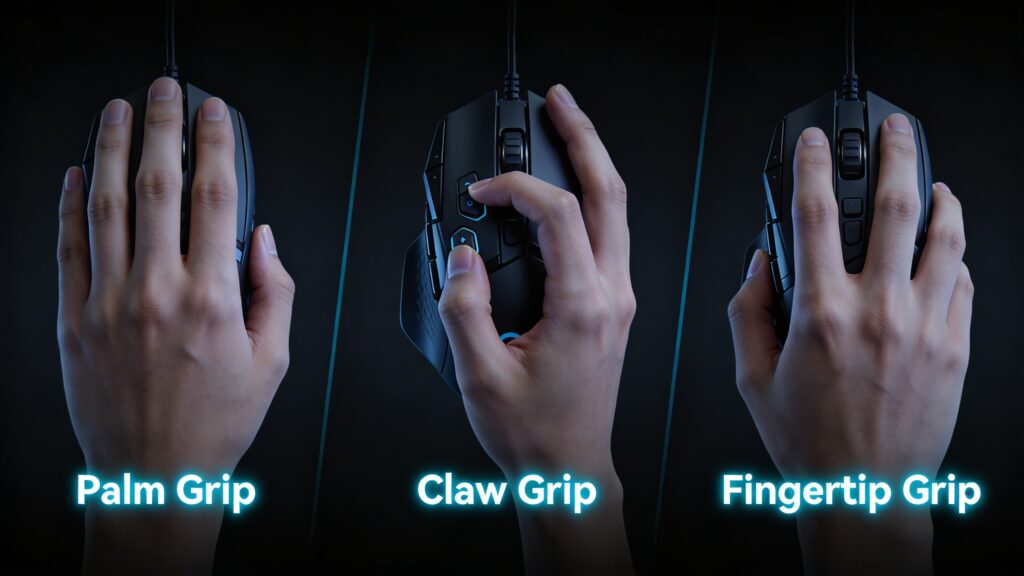
Gaming Mouse Grip Styles Define User Control
Gaming mouse grip styles define user control. The way the hand interacts with the mouse determines precision and speed.
Palm Grip Creates Full Hand Contact
Palm grip creates full hand contact. The entire hand rests on the mouse for maximum stability.
Stable positioning improves consistency. The grip reduces sudden movement errors.
Claw Grip Enhances Precision and Speed
Claw grip enhances precision and speed. The arched hand position allows quick clicks and controlled movement.
Finger control increases accuracy. The grip supports fast reaction and precise targeting.
Fingertip Grip Maximizes Agility
Fingertip grip maximizes agility. Only the fingers control the mouse, enabling rapid movement.
Minimal contact increases speed. The reduced surface area allows quick adjustments.
Key Features of a Gaming Mouse Define Performance
Key features of a gaming mouse define performance. Each component contributes to accuracy, responsiveness, and usability.Learn more in our mouse DPI guide.
DPI Adjustment Controls Sensitivity Levels
DPI adjustment controls sensitivity levels. The setting determines how fast the cursor moves.
Higher DPI increases speed. Lower DPI enhances precision.
Polling Rate Improves Input Response Time
Polling rate improves input response time. The mouse communicates with the system at high frequency.
Higher rate reduces delay. Faster updates create smoother tracking.
Programmable Buttons Expand Gameplay Control
Programmable buttons expand gameplay control. Additional inputs allow custom commands.
Custom mapping increases efficiency. Players execute actions faster without keyboard reliance.
Weight Customization Adjusts Movement Feel
Weight customization adjusts movement feel. Adjustable weights change how the mouse responds to motion.
Heavier setup increases control. Lighter setup improves speed.
RGB Lighting Indicates Profiles and Modes
RGB lighting indicates profiles and modes. Visual cues display active settings and configurations.
Color coding improves usability. Users identify modes instantly during gameplay.
Gaming Mouse Sensor Types Impact Accuracy
Gaming mouse sensor types impact accuracy. The sensor determines how movement is detected and translated.
Optical Sensor Provides Consistent Tracking
Optical sensor provides consistent tracking. The light-based system reads surface movement with stability.
Reliable detection improves accuracy. The sensor performs well across most surfaces.
Laser Sensor Enhances High DPI Precision
Laser sensor enhances high DPI precision. The advanced technology detects finer surface details.
Higher sensitivity increases tracking range. The sensor supports high-speed movement.
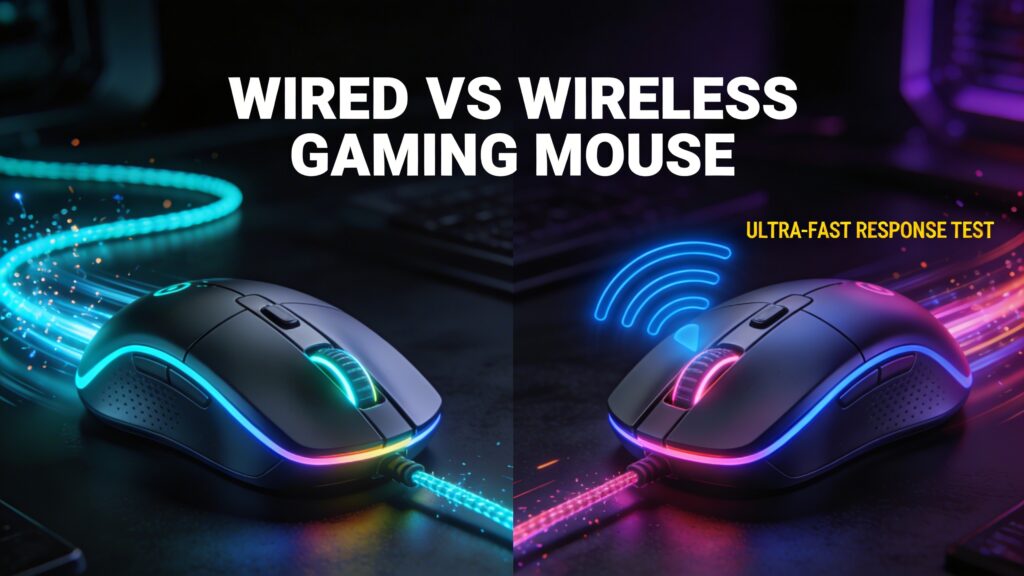
Wired vs Wireless Gaming Mouse Performance Comparison
Wired vs wireless gaming mouse performance comparison highlights differences in latency, flexibility, and reliability.See our computer mouse guide
Wired Gaming Mouse Delivers Low Latency
Wired gaming mouse delivers low latency. The direct connection ensures instant data transmission.
Stable signal improves performance. No interference affects responsiveness.
Wireless Gaming Mouse Provides Flexibility
Wireless gaming mouse provides flexibility. The cable-free design allows unrestricted movement.
Improved portability enhances usability. The mouse adapts to different setups easily.
Latency Differences Affect Competitive Gameplay
Latency differences affect competitive gameplay. Response delay influences reaction time and accuracy.
Lower latency increases competitiveness. Faster input ensures better in-game performance.
Gaming Mouse for Different Game Types
Gaming mouse for different game types defines performance based on game play requirements. Each genre demands a specific balance of precision, speed, and control.
FPS Gaming Mouse Requires Precision and Control
FPS gaming mouse requires precision and control. Accurate aiming and stable tracking determine performance in shooting games.
Low DPI Improves Target Accuracy
Low DPI improves target accuracy. The reduced sensitivity allows fine crosshair adjustments and controlled aiming.
Lightweight Design Enhances Aim Speed
Lightweight design enhances aim speed. The lower weight enables faster flick shots and quick directional changes.
MOBA and RTS Gaming Mouse Focuses on Buttons
MOBA and RTS gaming mouse focuses on buttons. Complex game play requires multiple commands executed
Multiple Buttons Expand Commands
Multiple buttons expand commands. Extra inputs allow quick access to abilities and macros.
Fast Response Improves Action Speed
Fast response improves action speed. Instant input processing ensures quick execution of commands.
Battle Royale Gaming Mouse Balances Speed and Control
Battle royale gaming mouse balances speed and control. The gameplay requires both fast reactions and accurate targeting.
Balanced design improves adaptability. Players switch between combat and movement efficiently.
Gaming Mouse vs Regular Mouse Performance Difference
Gaming mouse vs regular mouse performance difference highlights hardware and design improvements that impact gameplay.
Sensor Quality Improves Tracking Accuracy
Sensor quality improves tracking accuracy. Advanced sensors capture precise movement data and reduce errors.
Response Time Enhances Gameplay Performance
Response time enhances gameplay performance. Faster communication with the system reduces input lag.
Build Quality Extends Durability
Build quality extends durability. High-quality materials withstand intensive and long-term use.
Advantages of Using a Gaming Mouse
Advantages of using a gaming mouse improve overall performance and user experience. The specialized design enhances precision, speed, and control.
Precision tracking increases accuracy. The advanced sensor delivers consistent movement data.
Faster response improves reaction time. The high polling rate reduces delay.
Custom features expand control options. Programmable buttons and adjustable settings enhance usability.
Ergonomic design improves comfort. The structure supports long gaming sessions without fatigue.
Common Gaming Mouse Problems Affect Performance
Common gaming mouse problems affect performance by reducing accuracy, speed, and consistency. Hardware and surface issues disrupt smooth gameplay.
Cursor Lag Results From Signal Delay
Cursor lag results from signal delay. Slow data transmission between the mouse and system creates noticeable input delay.
Low polling rate reduces responsiveness. The system receives fewer updates per second, which slows cursor movement.
Inconsistent Tracking Reduces Accuracy
Inconsistent tracking reduces accuracy. The sensor fails to read movement correctly across the surface.
Unstable surface creates tracking errors. The cursor skips or jitters during movement.
Worn Switches Affect Click Response
Worn switches affect click response. The internal components lose responsiveness over time.
Delayed clicks reduce performance. The action does not register instantly during gameplay.
Surface Issues Impact Sensor Performance
Surface issues impact sensor performance. Uneven or dirty surfaces interfere with tracking accuracy.
Poor surface quality creates inconsistent signals. The mouse cannot maintain stable movement detection.
How to Choose the Best Gaming Mouse
Choosing the best gaming mouse depends on performance needs, comfort, and gameplay style. Each factor determines the overall experience.
DPI Selection Matches Sensitivity Needs
DPI selection matches sensitivity needs. The setting controls how fast the cursor moves.
High DPI supports fast movement. Low DPI improves precision.
Sensor Type Determines Tracking Quality
Sensor type determines tracking quality. Optical and laser sensors deliver different performance levels.
Accurate sensor improves consistency. Better tracking increases gameplay precision.
Grip Style Defines Comfort Level
Grip style defines comfort level. The mouse shape must match how the hand holds it.
Proper fit improves control. Comfortable grip supports long sessions.
Weight Impacts Movement Speed
Weight impacts movement speed. Lighter mice move faster, while heavier mice provide more control.
Balanced weight improves usability. The right feel enhances performance.
Budget Determines Feature Availability
Budget determines feature availability. Higher budgets provide advanced sensors and extra features.
Better components increase durability. Premium mice deliver long-term performance.
Best Gaming Mouse Use Cases
Best gaming mouse use cases define which type of user benefits most from specific features and designs.
Competitive Esports Players
Competitive esports players require maximum precision and speed. High-end sensors and low latency improve performance.
Fast response increases reaction time. Precision tracking enhances competitive advantage.
Casual Gamers
Casual gamers benefit from balanced performance and comfort. Mid-range features provide a smooth experience.
Simple design improves usability. Reliable performance supports everyday gaming.
Streamers and Content Creators
Streamers and content creators require versatility and customization. Programmable buttons and RGB enhance functionality.
Multi-tasking improves efficiency. Custom controls simplify workflow.
FAQs About Gaming Mouse
What Is a Gaming Mouse
A gaming mouse is a high-performance input device designed for precision, speed, and customization. Advanced sensors and features improve gameplay experience.
Does a Gaming Mouse Improve Performance
A gaming mouse improves performance through accurate tracking and faster response. The hardware reduces input delay and increases control.
What DPI Is Best for Gaming
The best DPI for gaming depends on playstyle. Low DPI supports precision, while high DPI enables faster movement.
Is Wireless Gaming Mouse Good for Competitive Play
Wireless gaming mouse supports competitive play with modern low-latency technology. Advanced models deliver performance similar to wired mice.
How Long Does a Gaming Mouse Last
Gaming mouse lifespan depends on build quality and usage. High-quality models last several years with consistent performance.
Gaming Mouse Enhances Performance and Competitive Advantage
Gaming mouse enhances performance and competitive advantage through precision tracking, fast response, and customizable features. The optimized design improves accuracy, speed, and overall gameplay efficiency.