

How Does a Mouse Work : Introduction
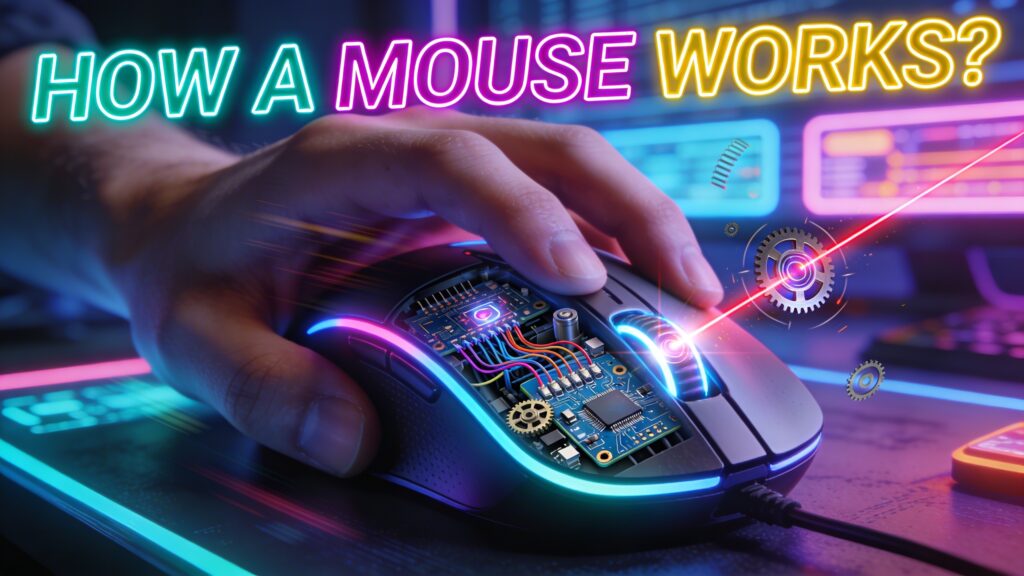
A mouse works by converting physical hand movement into digital cursor movement using sensors, processors, and signal transmission. The internal system captures surface data, processes motion, and sends it to the computer for real-time cursor control.see our computer mouse guide.
Mouse Converts Physical Movement Into Digital Cursor Motion
Mouse converts physical movement into digital cursor motion. The sensor detects surface changes and translates them into on-screen movement.
Sensor tracking captures motion data. The system reads micro-movements and converts them into cursor position.
Signal processing ensures smooth output. The internal chip calculates direction and speed accurately.
What Is a Mouse and How It Works
A mouse is an input device that controls cursor movement through sensor-based tracking. The hardware system processes motion and sends commands to the computer.Learn more in our mouse input device guide.
Optical Sensor Detects Surface Movement
Optical sensor detects surface movement. The LED light scans the surface and captures image patterns.
Image comparison identifies movement. The sensor tracks changes between frames to determine direction.
Laser Sensor Enhances Precision Tracking
Laser sensor enhances precision tracking. The laser penetrates deeper into surface texture for detailed detection.
Higher sensitivity improves accuracy. The system captures finer movement details.
Sensor Captures Motion Data for Processing
Sensor captures motion data for processing. The internal system records movement information continuously.
Data conversion creates cursor response. The processor translates raw input into visible motion.
Internal Components That Power Mouse Functionality
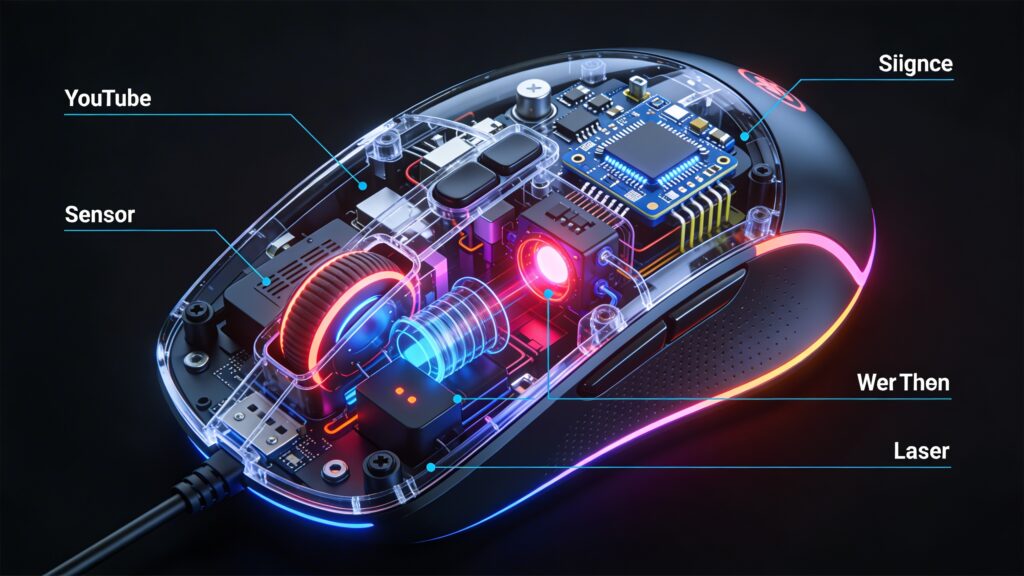
Mouse internal components power functionality through coordinated hardware systems. Each part contributes to tracking and signal transmission.
LED or Laser Light Illuminates Surface
LED or laser light illuminates surface. The light source enables the sensor to detect texture patterns.
Consistent lighting improves tracking. The sensor receives clear surface data.
CMOS Sensor Captures Image Frames
CMOS sensor captures image frames. The sensor takes thousands of pictures per second.
Frame analysis detects movement. The system compares images to calculate direction.
Processor Converts Images Into Movement Signals
Processor converts images into movement signals. The chip analyzes sensor data and determines cursor behavior.
Fast processing reduces delay. The system ensures real-time response.
How Mouse Movement Translates to Cursor Movement
Mouse movement translates to cursor movement through data processing and signal transmission. The system ensures accurate on-screen control.
Sensor Tracks Position Changes
Sensor tracks position changes. The device detects shifts in surface patterns during movement.
Accurate tracking improves control. The cursor follows hand motion precisely.
DPI Determines Cursor Sensitivity
DPI determines cursor sensitivity. The setting controls how far the cursor moves.Read our mouse DPI guide.
Higher DPI increases speed. Lower DPI improves precision.
Polling Rate Controls Data Transmission Speed
Polling rate controls data transmission speed. The mouse sends updates to the computer frequently.
Higher rate reduces lag. Faster updates improve responsiveness.
Types of Mouse Based on Working Mechanism
Mouse types based on working mechanism define how tracking technology operates. Each type uses a different method to detect movement.
Optical Mouse Uses Light-Based Tracking
Optical mouse uses light-based tracking. The LED sensor reads surface patterns.
Reliable tracking ensures consistency. The system performs well on most surfaces.
Laser Mouse Uses Advanced Detection Technology
Laser mouse uses advanced detection technology. The laser sensor captures detailed surface data.
Higher precision improves performance. The system supports high DPI settings.
Mechanical Mouse Uses Ball-Based Movement Detection
Mechanical mouse uses ball-based movement detection. The rolling ball tracks motion through internal rollers.
Physical movement creates signals. The system converts motion into cursor movement
How Does a Mouse Work (Answer Fast)
A mouse works through sensor tracking and signal processing to convert physical hand movement into real-time cursor motion. The system detects surface movement, processes data, and sends signals to the computer for instant screen interaction.
How a Mouse Works Through Sensor Tracking and Signal Processing
A mouse works through sensor tracking and signal processing. The internal system captures motion data and converts it into digital signals.
Sensor detection creates movement input. The device reads surface changes to track direction.
Signal processing generates cursor output. The processor translates motion into accurate screen movement.
What Is a Computer Mouse and Its Core Function
A computer mouse is an input device that controls cursor movement and executes commands. The hardware system enables real-time interaction with digital interfaces.
Mouse Converts Physical Movement Into Cursor Motion
Mouse converts physical movement into cursor motion. The sensor tracks hand movement and maps it to screen position.
Accurate tracking improves control. The cursor follows motion precisely.
Input Signals Create Real-Time Screen Interaction
Input signals create real-time screen interaction. The mouse sends continuous data to the computer.
Fast communication ensures responsiveness. The system updates the cursor instantly.
How Does a Mouse Work Step by Step
A mouse works step by step through detection, processing, and execution. Each stage transforms physical motion into digital output.see more
Sensor Detects Surface Movement
Sensor detects surface movement. The tracking system reads texture changes on the surface.
Optical Sensor Uses LED Light Reflection
Optical sensor uses LED light reflection. The light scans the surface and captures image patterns.
Pattern comparison detects motion. The sensor identifies direction and speed.
Laser Sensor Detects Fine Surface Details
Laser sensor detects fine surface details. The laser penetrates deeper into texture.
High sensitivity improves precision. The system captures detailed movement data.
Microcontroller Processes Movement Data
Microcontroller processes movement data. The internal chip analyzes sensor input.
Processor Converts Motion Into Digital Signals
Processor converts motion into digital signals. The system transforms raw data into usable commands.
Fast processing reduces delay. The cursor responds instantly.
Signal Processing Determines Speed and Direction
Signal processing determines speed and direction. The algorithm calculates movement behavior.
Accurate calculation improves performance. The cursor moves smoothly and precisely.
Computer Receives and Executes Input
Computer receives and executes input. The system interprets signals and displays output.
Drivers Translate Signals Into Cursor Movement
Drivers translate signals into cursor movement. The software converts data into screen actions.
Correct mapping ensures accuracy. The cursor reflects exact movement.
Operating System Displays Real-Time Response
Operating system displays real-time response. The interface updates instantly.
Visual feedback improves usability. The user interacts smoothly with the system.
Mouse Components That Enable Functionality
Mouse components enable functionality through coordinated hardware systems. Each part contributes to tracking and interaction.
Sensor Defines Tracking Accuracy
Sensor defines tracking accuracy. The component determines how precisely movement is detected. see more
Higher quality improves consistency. The cursor moves without errors.
Microcontroller Executes Signal Processing
Microcontroller executes signal processing. The chip manages data conversion and transmission.
Efficient processing enhances speed. The system reduces latency.
Buttons Trigger Commands Through Switches
Buttons trigger commands through switches. Each click sends a signal to the computer.
Responsive switches improve control. Actions register instantly.
Scroll Wheel Generates Vertical Navigation
Scroll wheel generates vertical navigation. The rotating mechanism sends scrolling input.
Smooth rotation improves usability. The user navigates content easily.
Types of Mouse Technology Affect How It Works
Types of mouse technology affect how it works by determining how movement is detected and translated into cursor motion. Each technology has unique advantages and limitations.
Optical Mouse Uses Light-Based Tracking
Optical mouse uses light-based tracking. The LED sensor illuminates the surface and captures movement patterns.
Accurate detection improves cursor control. Optical mice perform well on most surfaces.
Laser Mouse Uses High-Precision Detection
Laser mouse uses high-precision detection. The laser penetrates deeper into surface texture for detailed tracking.
Higher sensitivity enhances accuracy. Laser mice support high DPI settings and fast-paced movement.
Mechanical Mouse Uses Ball-Based Movement
Mechanical mouse uses ball-based movement. The rolling ball transfers motion to internal rollers that detect direction and speed.
Durable and simple design. Mechanical mice are less common but reliable for basic use.
Wired vs Wireless Mouse Working Mechanism
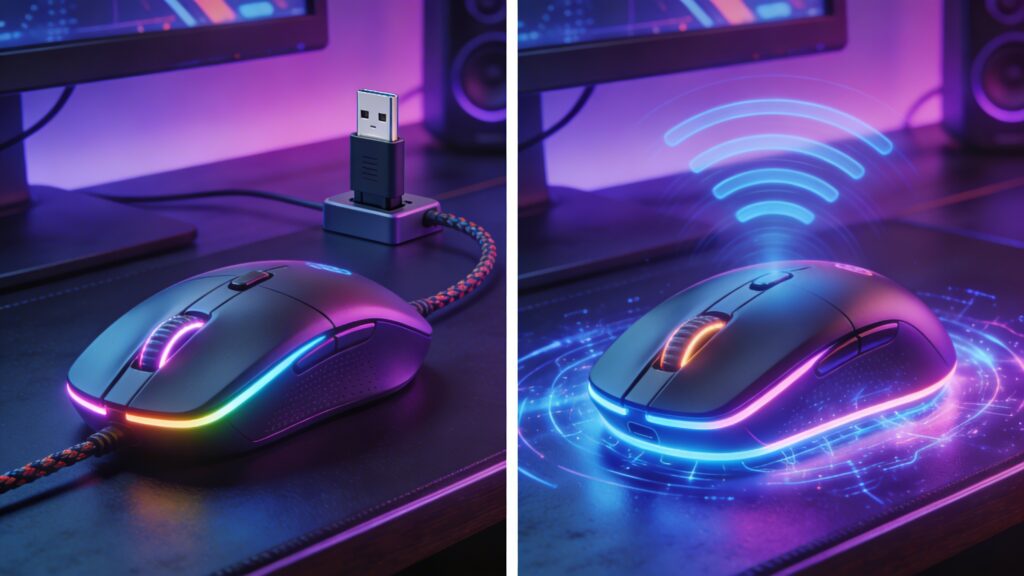
Wired vs wireless mouse working mechanism affects latency, reliability, and flexibility in usage.read more
Wired Mouse Sends Direct Electrical Signals
Wired mouse sends direct electrical signals to the computer. The cable ensures fast and stable communication.
Low latency improves responsiveness. Ideal for competitive gaming or precise work.
Wireless Mouse Uses RF and Bluetooth Transmission
Wireless mouse uses RF or Bluetooth transmission. Data travels through radio frequencies without a cable.
Flexibility increases mobility. Modern wireless mice offer near-zero latency for gaming.
Signal Transmission Affects Latency and Response
Signal transmission affects latency and response. The method of data transfer influences how quickly movement reflects on-screen.
Direct connections reduce lag. Wireless technology may introduce minor delays if not optimized.
Mouse Movement and Cursor Behavior Explained
Mouse movement and cursor behavior are defined by DPI, polling rate, and surface type. These factors control sensitivity, speed, and accuracy.
DPI Determines Cursor Sensitivity
DPI determines cursor sensitivity. Higher DPI moves the cursor farther per inch of hand movement.
Adjustable DPI enhances precision or speed. Gamers and designers often customize DPI settings.
Polling Rate Controls Response Speed
Polling rate controls response speed. The mouse reports its position to the computer multiple times per second.
Higher polling rate reduces input lag. Fast reporting improves real-time tracking.
Surface Type Influences Tracking Accuracy
Surface type influences tracking accuracy. Smooth, consistent surfaces optimize sensor performance.
Rough or reflective surfaces may disrupt tracking. Mouse pads are recommended for stability.
Mouse Click and Scroll Mechanism Explained
Mouse click and scroll mechanism enables interaction with the computer through buttons and wheel input.
Button Clicks Use Micro Switch Activation
Button clicks use micro switch activation. Pressing a button completes an electrical circuit that sends a signal to the computer.
Responsive switches improve speed. Each click registers instantly on-screen.
Scroll Wheel Converts Rotation Into Input Signals
Scroll wheel converts rotation into input signals. Rolling the wheel sends incremental data to scroll vertically or horizontally.
Smooth scrolling enhances navigation. The mechanism supports precise content control.

Factors That Affect Mouse Performance
Factors that affect mouse performance determine how accurately and smoothly the cursor moves. Sensor quality, DPI, and surface type all play critical roles.
Sensor Quality Defines Accuracy
Sensor quality defines accuracy. High-quality sensors capture more precise movement data.
Better sensors improve tracking. Low-quality sensors may produce jitter or skipped movements.
DPI Settings Control Speed
DPI settings control speed. Higher DPI moves the cursor faster, while lower DPI allows fine control.
Adjustable DPI matches different tasks. Gaming, design, and office work require different sensitivity levels.
Surface and Mouse Pad Impact Tracking
Surface and mouse pad impact tracking. Smooth and consistent surfaces optimize sensor performance.
Uneven or reflective surfaces reduce accuracy. Proper mouse pads maintain stable cursor movement.
Common Problems in How a Mouse Works
Common problems in how a mouse works reduce performance and user experience.
Cursor Lag Results From Signal Delay
Cursor lag results from signal delay. Slow communication between mouse and computer causes noticeable input delay.
Tracking Issues Result From Surface Problems
Tracking issues result from surface problems. Dirt, uneven textures, or unsuitable materials disrupt sensor detection.
Click Failure Results From Switch Wear
Click failure results from switch wear. Over time, buttons may fail to register clicks consistently.
How to Improve Mouse Performance
Improving mouse performance ensures smooth, accurate, and responsive control.
Adjust DPI for Better Control
Adjust DPI for better control. Matching sensitivity to your task improves accuracy and comfort.
Use a Proper Mouse Pad for Accuracy
Use a proper mouse pad for accuracy. The right surface enhances sensor tracking and reduces errors.
Update Drivers for Stable Performance
Update drivers for stable performance. The latest software ensures compatibility and responsiveness.
How a Mouse Compares to Other Input Devices
Comparison with other input devices highlights the mouse’s advantages and limitations.
Mouse vs Touchpad Accuracy Comparison
Mouse vs touchpad accuracy comparison shows the mouse provides superior precision. Fine cursor movements are easier to control with a mouse.
Mouse vs Touchscreen Control Differences
Mouse vs touchscreen control differences emphasize that a mouse allows precise pointer navigation, while touchscreens are gesture-based and less accurate for fine tasks.
FAQs About How a Mouse Works
How does a mouse detect movement
A mouse detects movement through sensors that track surface changes and translate them into cursor motion.see our gaming mouse guide.
What is inside a computer mouse
Inside a computer mouse are sensors, microcontrollers, buttons, and a scroll wheel that work together to capture motion and input.
Why does a mouse need a surface
A mouse needs a surface to provide texture for the sensor to track movement accurately.
How does a wireless mouse work
A wireless mouse transmits motion data to the computer using RF or Bluetooth signals, allowing cable-free operation.
What affects mouse accuracy
Mouse accuracy is affected by sensor quality, DPI settings, surface type, and proper maintenance.
How a Mouse Works Remains Essential for Computer Interaction
A mouse works as a critical tool for interacting with computers. Its sensors, buttons, and processing allow precise input, enabling productivity, gaming, and creative tasks. Proper selection, setup, and maintenance ensure consistent performance and reliable control.


Thanks for breaking down how a mouse works—it really helps clarify the technology behind something we use every day. I especially appreciated the explanation of how optical and laser sensors track movement, since it makes sense why precision varies between different mice. This kind of insight is exactly what helps users make more informed decisions when choosing input devices.
You’re very welcome! I’m glad the explanation helped clarify how different mouse sensors work. Understanding these details really does make it easier to choose the right device for your needs. Appreciate your thoughtful feedback!